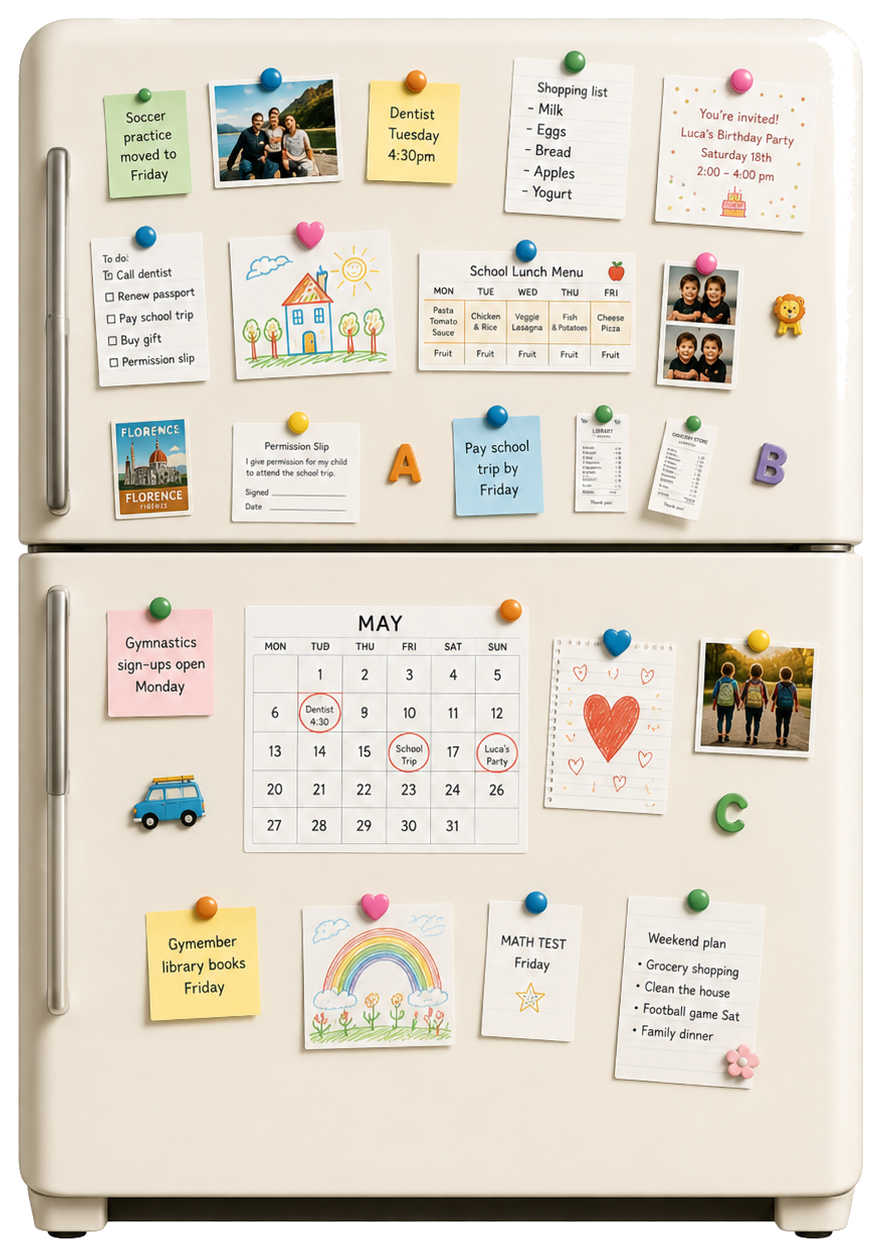

Draft grandparents + babysitter.
Meet your new AI Family Manager.
Stop being the operating system for your household. Empla gets its own email, memory, and tools to handle the family admin that drains your day.
Free to start. No credit card required.
Watch the site and alert us.
Add to the family budget.
Confirm and update calendar.
How it works
From family update to handled.
A school email lands in your Inbox
With your email inbox connected, Empla detects the important update automatically.
Family calendar and draft are ready
The calendar event is ready to save, and the reply waits for your approval.
What you can ask
Jobs parents can hand off today.
Use it like a household admin assistant: one sentence becomes a draft, tracker, reminder, summary, or approval-ready message.
School
Update grandparents and the babysitter
"Sports day moved to Friday. Draft a note to grandparents and the babysitter with the new schedule."
EMPLA: Finds the new date, prepares the calendar update, drafts the message, and waits for approval.
Activities
Watch for gymnastics sign-ups
"Check the gymnastics website weekly and tell me when fall registration opens."
EMPLA: Keeps the page on a watchlist and alerts you when registration opens.
Money
Keep a family expenses sheet
"Keep one spreadsheet for groceries, babysitting, activities, medical receipts, and reimbursements."
EMPLA: Updates the sheet from receipts and sends a clean monthly summary.
Travel
Watch vacation flight prices
"Tell me if flights for our August trip drop below $700, and keep the best options in one note."
EMPLA: Tracks provided searches or links and tells you when it is worth acting.
Products
Send useful product research
"Every Friday, send me the best-reviewed lunch boxes, sunscreen, or school shoes for our kids."
EMPLA: Builds a shortlist from current reviews and your saved preferences.
Care
Recommend a reset after a hard day
"It has been a heavy week. Send me a calm playlist, a short book, and a 20-minute reset plan."
EMPLA: Uses your taste to suggest a small reset that fits the moment.
Documents
Track passports, forms, and renewals
"Warn me 8 weeks before passports, IDs, insurance forms, and camp paperwork expire."
EMPLA: Tracks expiry dates and reminds you early enough to avoid last-minute admin.
Home
Prepare a babysitter handoff
"Make a one-page handoff for tonight: dinner, bedtime, allergies, contacts, and where everything is."
EMPLA: Keeps a reusable handoff note fresh as plans change.
The shift
From random tasks to a family rhythm.
EMPLA gets more useful as it learns the context: routines, taste, budget rules, recurring tasks, and who needs to approve what, so parents stop carrying every tiny detail alone.
Mental load relief
The school detail, vendor thread, birthday gift, and renewal no longer have to live in your head.
Family routines
Which days are rushed, who needs reminders, and what always slips.
Taste and preferences
Music, books, products, gifts, meals, and how your family likes decisions framed.
Budget rules
What is normal, what needs approval, and when a better option is worth surfacing.
Tools and sources
The places parents already use.
Connect the inboxes, calendars, files, and sources that make EMPLA useful as a family calendar assistant, school email assistant, and personal admin AI assistant.
Inbox and calendars
The daily source of school, appointments, vendors, travel, and family logistics.
Files and household records
Where forms, IDs, receipts, insurance documents, photos, and notes usually live.
Websites and sources
Public pages, newsletters, links, or screenshots when a connector is not available.
Built-in supervision
Start supervised. Open trust carefully.
EMPLA can be the reference point for the whole family: one inbox, one memory, and one place where schedules, preferences, documents, and decisions stay unified. At first, replies wait for approval. Later, you can whitelist trusted people and let EMPLA write directly within the rules you choose.
Unified family context
Schedules, contacts, routines, documents, and preferences stay in one place.
Approval by default
Replies, bookings, and commitments can wait for you until trust is established.
Whitelist when ready
Let EMPLA write directly to grandparents, babysitters, or vendors you explicitly approve.
Plans for busy households
Start with one or two recurring family loops. Add more credits when EMPLA is clearly saving you time.
For one parent starting with weekly family admin.
- •One AI Family Manager
- •Family inbox, memory, and recurring routines
- •Connected tools with approval gates
- •Email support
For households delegating school, vendors, travel, products, and reminders.
- •One AI Family Manager
- •Family inbox, memory, and recurring routines
- •Connected tools with approval gates
- •Email support
For higher-volume household operations across people, properties, and recurring tasks.
- •One AI Family Manager
- •Family inbox, memory, and recurring routines
- •Connected tools with approval gates
- •Email support
Start with 400 free credits.
Keep going when family admin feels lighter.
FAQ
Family Assistant questions
Is this an AI assistant for parents or a family office AI assistant?
Both. It is designed for busy households first: parents, caregivers, independent professionals, and anyone carrying a large amount of personal admin. For higher-volume homes, it can also work like a family office AI assistant for recurring household operations.
Can it email schools, doctors, or vendors for me?
Yes. EMPLA has its own family inbox, so it can receive email directly and prepare replies from that address. You decide the rules: every outgoing email can wait for approval, or trusted contacts can be whitelisted so EMPLA can send emails itself once you are comfortable.
Which tools does it use?
Start with email, calendar, Drive, Docs, Sheets, Notion, Slack, and task tools depending on what you connect. For services without a connector, it can still work from forwarded emails, shared links, exports, screenshots, or public pages where possible.
How does family privacy work?
EMPLA works inside your authorized workspace and uses the connected tools needed for the tasks you assign. The page intentionally avoids new data-training promises until those claims are reviewed and approved.
What should I delegate first?
Start with one loop you already repeat: a weekly school brief, activity registration watch, family expense sheet, babysitter handoff, vendor follow-up, or flight-price watch.
Give your family admin an inbox.
Start with one routine, review the first outputs, and expand only when it proves useful.
Try Empla for free